 Unmask URL
/ Free Chrome extension
See the real URL behind every Google result.
Google stopped showing you where its results go. The address was replaced by a breadcrumb trail, and the link now points at a redirect instead of the site. Unmask URL puts the real address back, on every result.
- Free
- no account, no trial, no paid tier
- Zero
- data collected, stored or sent to me
- ~70
- Google country domains covered
/ The comparison
Two things hide the URL. Both go.
The breadcrumb tells you a page exists somewhere under a folder. The redirect hides the destination completely. Together they mean you cannot see what you are about to click.
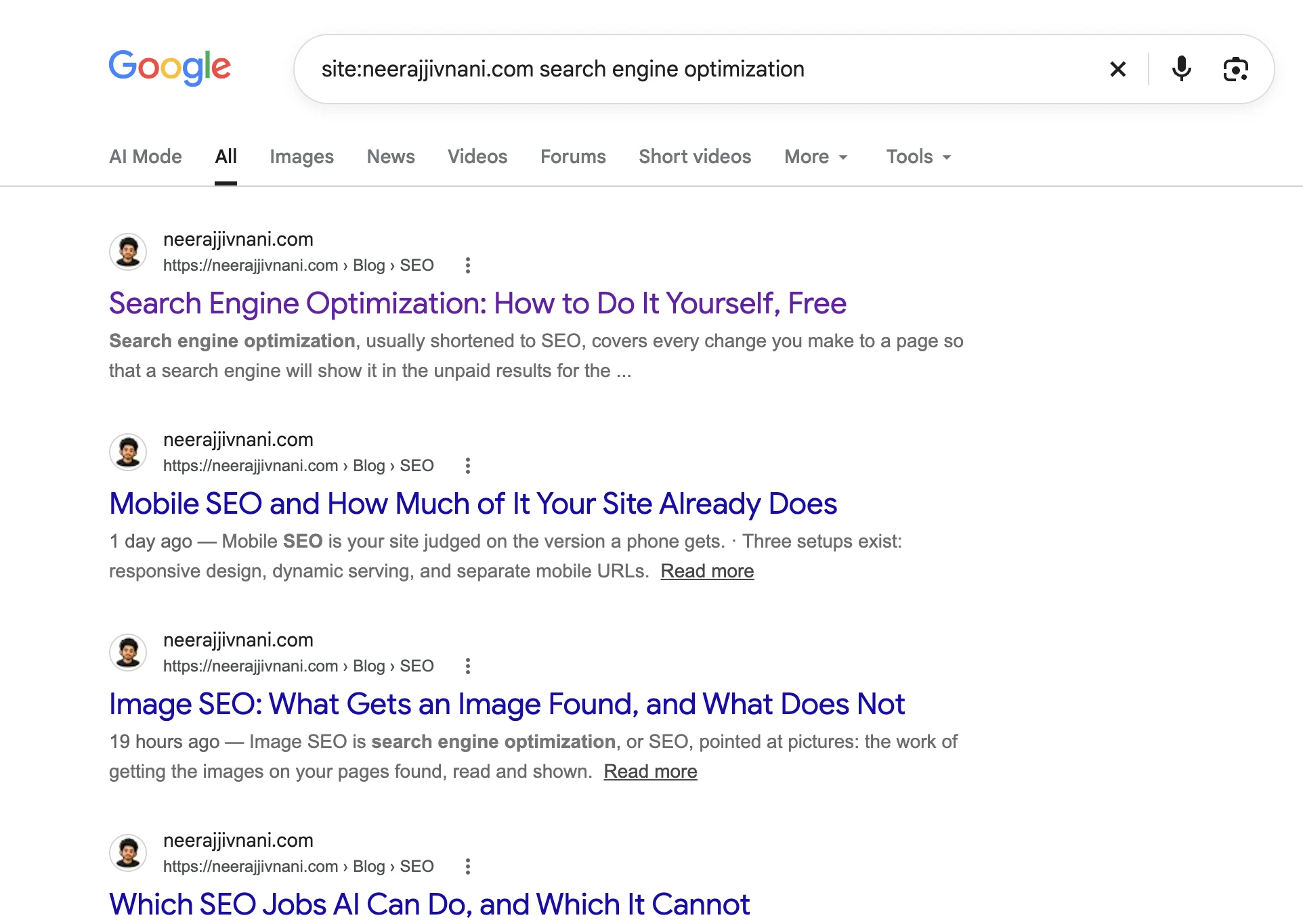 Open this at full size
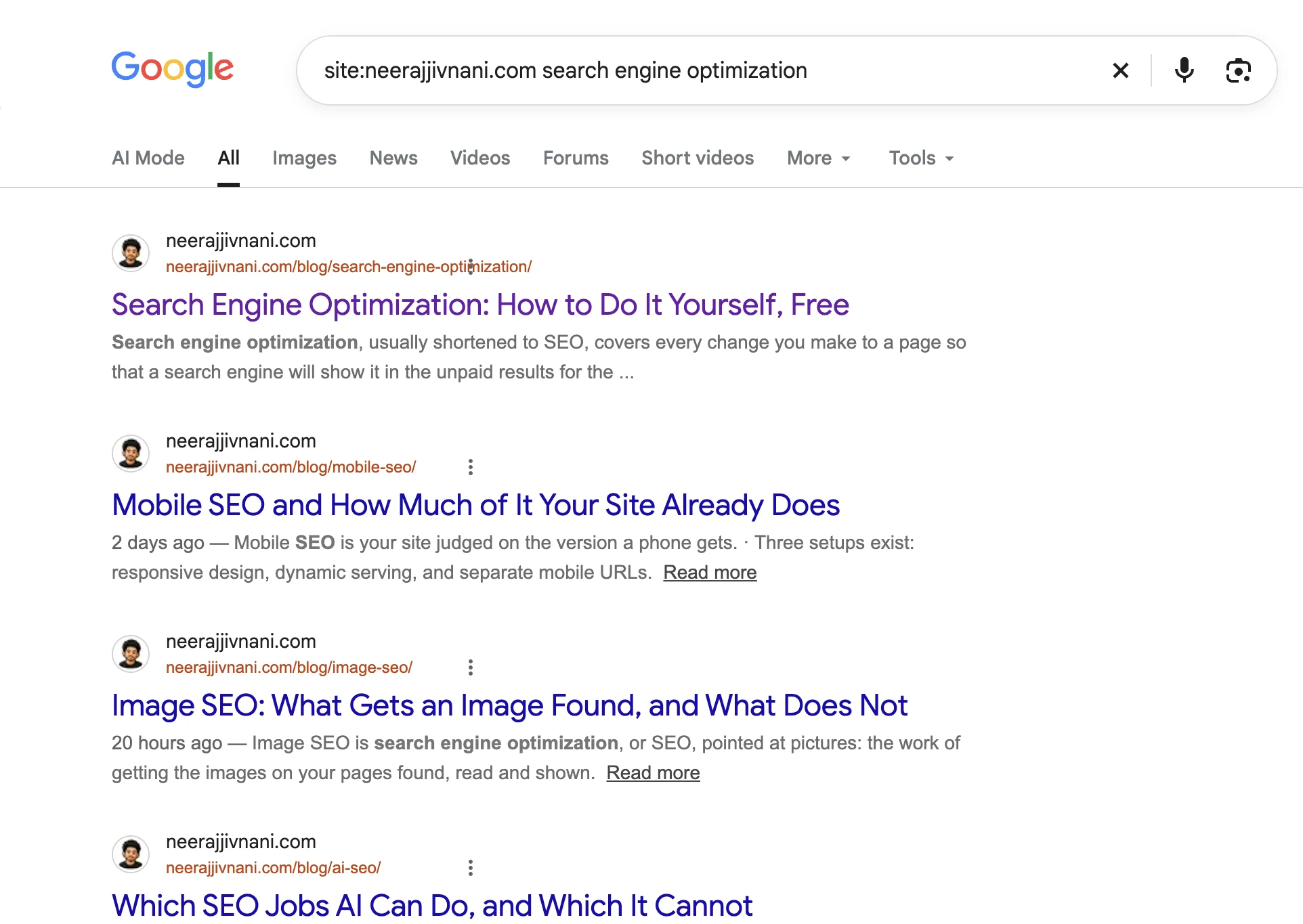 Open this at full size
The same results, the same search. The only difference is whether you can see where they go.
/ What it does
Six things it puts back
Breadcrumbs replaced with the real address
Google shows example.com › blog › post where the URL used to be. Every result gets its actual address back, full path included.
The goto redirect resolved
Result links now point at google.com/goto instead of the site. Unmask URL works out where each one really goes and shows that instead.
The link itself repaired
Hover preview, right-click copy and middle-click all give you the destination rather than the redirector. Google rewrites the link when you press it; this puts it back.
No more truncated URLs
Google clips the address to one line and ends it in an ellipsis. A long URL you cannot read is still a hidden URL, so the line is allowed to run its full length.
One-click copy
Hover any result for a Copy URL button. Useful when you are building a list of pages to look at properly.
Click tracking off, optionally
Google attaches a hidden tag to each result that reports which one you clicked. You can have it removed.
/ For auditors
Why this matters if you audit sites
Crawlers and analytics tell you what a site contains. A search results page tells you something different: what Google has actually chosen to index and rank, in the order it prefers. That is a second opinion worth having, and it is only useful if you can read the URLs.
Run a site: query with the addresses visible and the shape of a site shows up in a way a crawl rarely surfaces so quickly.
Two folders doing one job
A site with both /guides/ and /resources/ holding the same kind of page is usually the residue of a migration nobody finished. You see it instantly when the paths are on screen.
Legacy URL patterns
File extensions, numeric IDs and query-string pages from an older platform are a clear signal of what has been carried over rather than rebuilt.
Dates baked into paths
A URL carrying a year has to be abandoned or redirected every January. Spotting how many of them rank tells you how big that problem already is.
Parameters that should not be indexed
Tracking parameters and session IDs in ranking URLs point straight at a canonical or crawl budget problem.
/ Optional
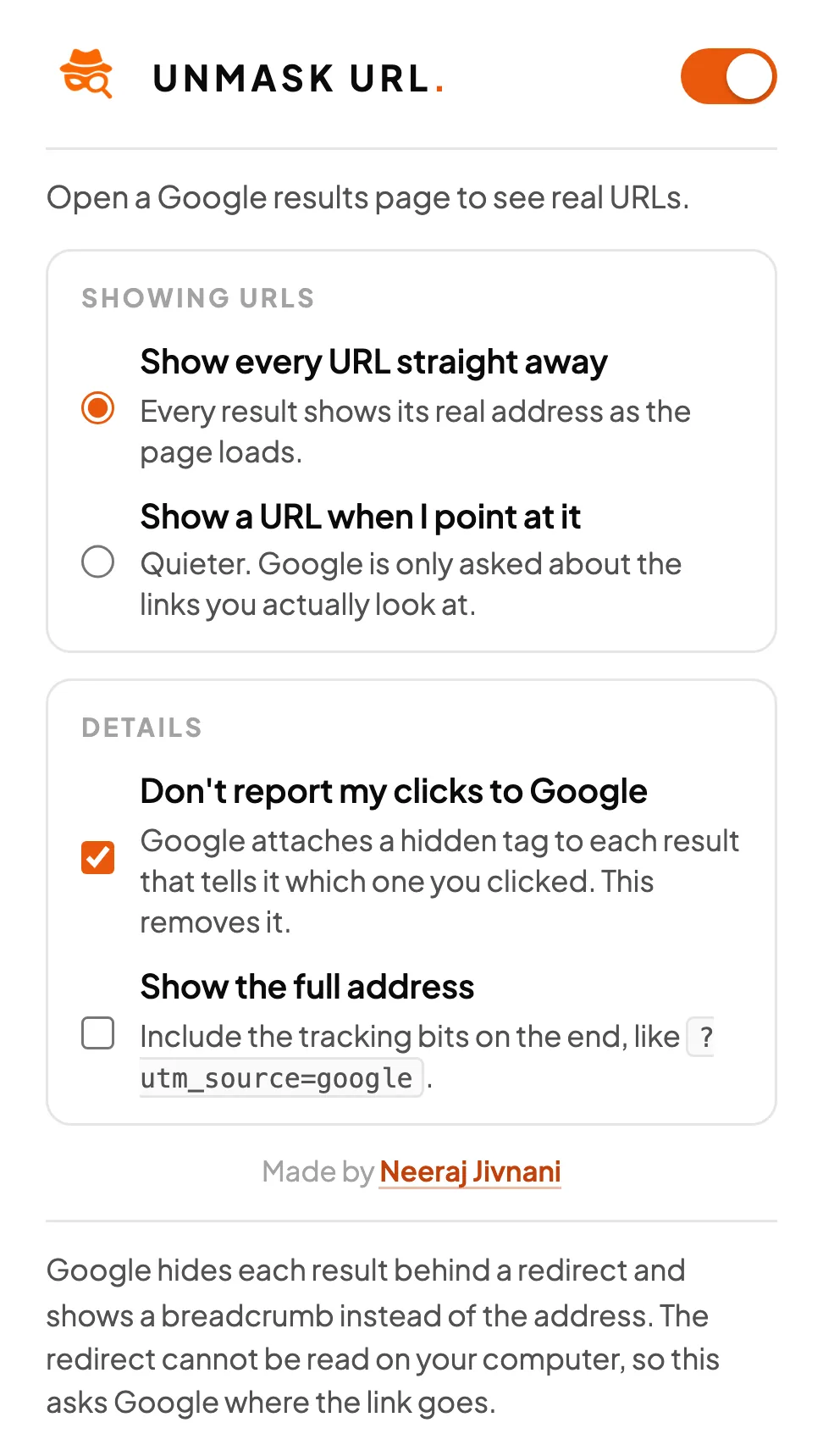
Set it to run on click
Most people auditing sites do not want an extension touching every search they make. You can have it stay out of the way and act only when you ask.
- 1Open chrome://extensions and click Unmask URL.
- 2Find Site access.
- 3Turn off Automatically allow access on the following sites.
- 4Pin the icon to your toolbar, and click it whenever you want the URLs.
It acts on the page already open, so you do not have to reload to see the URLs appear.
/ Under the hood
How the redirect is resolved, and the trade-off
Since August 2026 Google has wrapped result links in a redirect that looks like google.com/goto?url=CAES.... That token is signed and opaque. It is not an encoded version of the address, so no extension can decode it on your computer. The destination exists only on Google's side.
So there is exactly one way to learn where a result goes: ask Google's own redirector, and read the answer without following it.
/ The honest part
Revealing a redirected link means one small request to Google for that link. Nothing goes anywhere else, and nothing comes to me. But it would be dishonest to advertise this as having no network activity when it has some.
You decide how much of it happens. Leave it on show every URL straight away and it resolves the results on the page you are viewing. Switch to show a URL when I point at it and it only ever asks about links you hover.
/ Privacy
What it collects: nothing
There is no server behind this, no account to create, no analytics and no telemetry. I do not receive your searches, your clicks, or anything else, because there is nowhere for any of it to go.
- Your settings
- Chrome's own storage, on your machine.
- Resolved links
- Held in memory and erased when you close the browser, so nothing about the pages you looked at is written to disk.
- Where it runs
- Google search pages only. It exits immediately on Gmail, Drive, Docs and every other Google service, and never runs on any other website.
- The code
- Ships unminified. Anyone who wants to check these claims can read it.
/ Questions
The things people ask
Is it free?
Yes. No account, no trial, no paid tier. It is a tool I wanted for my own audits.
Does it slow Google down?
Not noticeably. Resolving a redirect is one small request per result, four at a time, and the answers are cached for the rest of your session. Direct links that are not redirect-wrapped need no request at all.
Can I have it run only when I ask?
Yes, and a lot of people prefer that. In chrome://extensions, open Unmask URL, find Site access and turn off Automatically allow access on the following sites. It then stays dormant until you click the icon, and it acts on the page already in front of you without a reload.
Does it work on google.co.in, google.co.uk and the rest?
Yes. Around seventy Google country domains are covered. It runs on search pages only and exits immediately on Gmail, Drive, Docs and every other Google service.
Why can the URL not simply be decoded?
Because there is nothing to decode. The token after goto?url= is a signed blob, not an encoded address, so the destination exists only on Google's side. Reading the redirect is the only way to learn it.
What data does it collect?
None. There is no server, no analytics and no telemetry, and I receive nothing. Your settings live in Chrome's own storage and the resolved links are held in memory until you close the browser.
Get the URLs back.
Free, and it takes about ten seconds to install.
Built by Neeraj Jivnani. Something not working? Tell me.