Internal Linking: Which Pages to Point At, and When to Stop
Which of your own pages to point at, the words to use, and the one check that tells you a page has enough. No quota, and a stopping point.


/ On this page10 sections
An internal link is a link from one page of your site to another page of the same site. Internal linking is the practice of deciding which of those to make.
Which of your own pages should somebody reading this one be able to reach, and which words should take them there?
There is no quota waiting at the end of that. The question that does have a published answer runs the other way around, and asks whether anything on your site points at the page you care about.
What an Internal Link Is, and How It Differs From the Other Two
Click an internal link and you have not left the site. That is the separation people have in their heads, and it is not the one that matters.
Three kinds get discussed together, and the third is not yours at all.
- Internal links go from your page to your page. You write every one of them.
- Outbound links go from your page to somebody else's. You write these too, and they are how you cite things.
- Inbound links, also called backlinks, come from somebody else's page to yours. Somebody else writes those, and which ones are worth having is its own subject.
That third row is why internal links are worth more of your attention than they usually get. They are the only links pointing at your pages that you decide, edit and undo at will.
Writing One: the Markup, and the Part Google Has to See
An internal link is an anchor element with an address in its href attribute and the clickable words between the tags.
``html
<a href="/shipping-times/">how long delivery takes</a>
``
That shape matters more than it looks. Google can generally only crawl a link that is an anchor element with an href attribute, its own link documentation says, and most other formats are not parsed.
So something clickable only because a script reacts to a click is a button to a reader and an unreliable link to a crawler. If you are writing links in an editor rather than in HTML, this is already handled for you.
The Three Things an Internal Link Does
Yes, internal linking helps, and it does three separate things.
It Is How a Page Gets Found
A crawler reaches a page by following a link to it. That is the first job, and it is the one with consequences.
Publish a page that nothing on your site points at and you have published it to nobody in particular. It may be crawled eventually, from a sitemap or from somewhere else, and it may sit there instead.
The same mechanism is what puts a page in front of the AI Overviews now appearing above search results. Nothing about it is a separate discipline: a page has to be found before it can be quoted, and being found reliably still means being linked.
It Moves Standing Between Your Own Pages
When one of your pages earns links from elsewhere, some of what that page is worth passes along the links it makes. The trade name for this is link equity, and the plain version is more useful.
Your busiest, most-cited page can lend some of its standing to a page that has none.
That is why a new page gets linked from an old one rather than the other way round.
It has a limit, though. A page is generally understood to divide what it can lend across every link it makes.
Fifty links on a page is not fifty times the effect of one. That is a reason not to bury a page in links, and not a reason to go looking for the right number.
It Gives a Reader Somewhere to Go Next
Somebody finishes a paragraph, wants the thing it referred to, and finds it a click away. That is the third job, and it is the plainest of the three.
A reader wanted something and got it, and you do not need a dashboard to know whether your own pages do that.
The Links You Set Once, and the Links You Choose Every Time
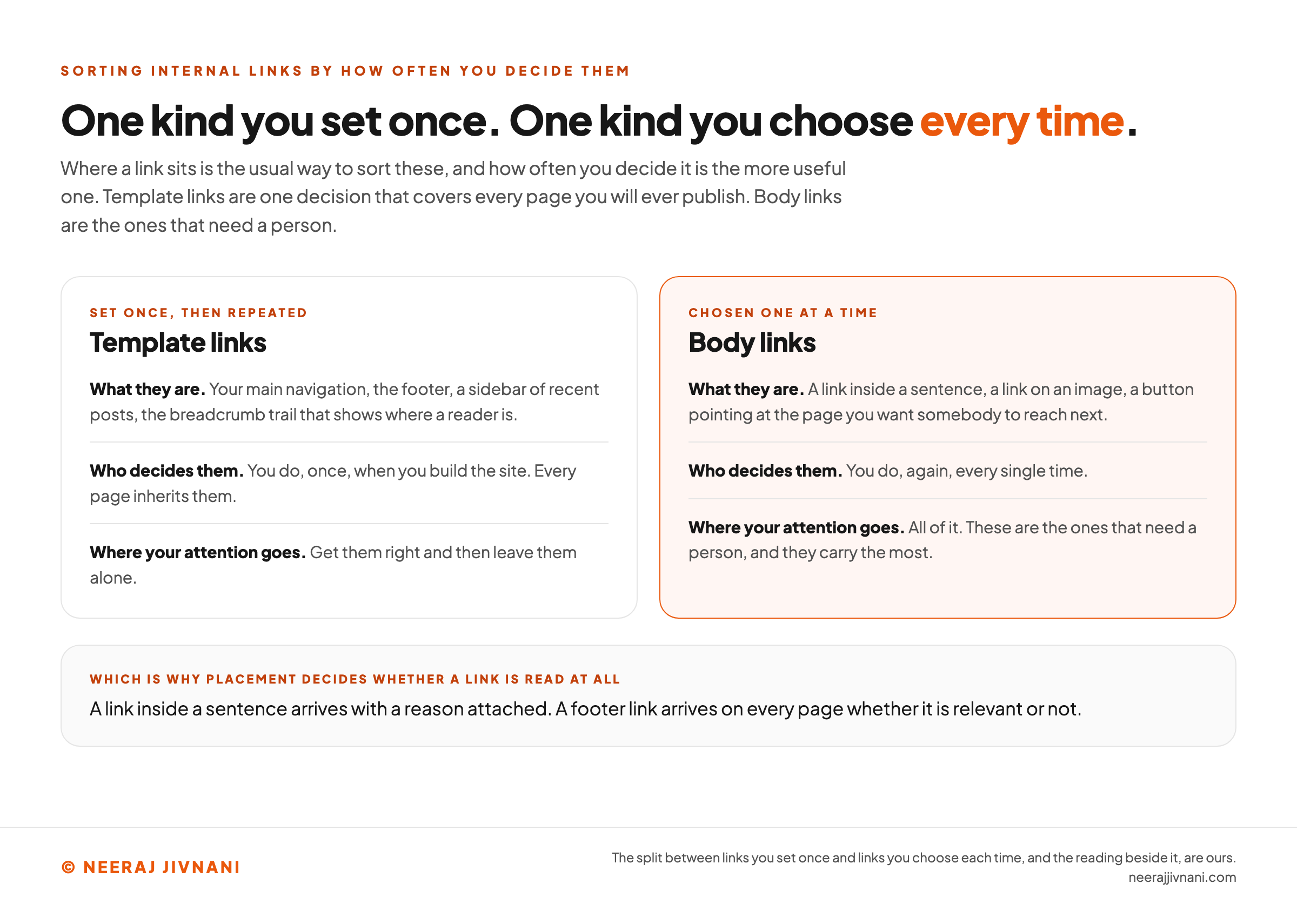
Internal links split into two kinds by how often you decide them, and that split is more useful than sorting them by where they sit.
Template links are set once and then repeat. Your main navigation, the footer, a sidebar of recent posts, the breadcrumb trail that shows where a reader is. You choose these when you build the site and every page inherits them.
Body links are chosen one at a time. A link inside a sentence, a link on an image, a button pointing at the page you want somebody to reach next.
The practical difference is where your attention goes. Template links are one decision that covers every page you will ever publish, so get them right and then leave them alone.
Body links are the ones that need a person. They are also the ones that carry the most, because a link inside a sentence arrives with a reason attached and a footer link arrives on every page whether it is relevant or not.
Use this chart — embed code and citation
<a href="https://neerajjivnani.com/blog/internal-linking/"><img src="https://neerajjivnani.com/infographics/internal-linking/set-once-or-chosen-again.png" alt="Two columns sorting internal links by how often you decide them rather than by where they sit. The left column, headed template links and tagged set once then repeated, says what they are, namely your main navigation, the footer, a sidebar of recent posts and the breadcrumb trail that shows where a reader is; who decides them, namely you, once, when you build the site, with every page inheriting them; and where your attention goes, which is to get them right and then leave them alone. The right column, highlighted in orange and headed body links, tagged chosen one at a time, says what they are, namely a link inside a sentence, a link on an image and a button pointing at the page you want somebody to reach next; who decides them, namely you, again, every single time; and where your attention goes, which is all of it, because these are the ones that need a person and they carry the most. A band at the foot explains why placement decides whether a link is read at all: a link inside a sentence arrives with a reason attached, while a footer link arrives on every page whether it is relevant or not." width="1200"></a>
<p>Chart: <a href="https://neerajjivnani.com/blog/internal-linking/">Neeraj Jivnani</a></p>Neeraj Jivnani, "Internal Linking: Which Pages to Point At, and When to Stop", neerajjivnani.com, https://neerajjivnani.com/blog/internal-linking/Free to republish with a link back to this page.
Deciding Which of Your Pages Link to Which
Link to the page you most want found, from the pages a reader is already on.
That order is worth keeping, because it starts from the site you already have.
Start From the Page You Most Want Found
Name the page you least want to lose, then ask which of your existing pages a reader would naturally be on when they wanted it.
Those are the pages to link from. Usually there are two or three and you already know what they are.
Then say the same thing about the pages that matter next. Working outward from a page you care about gets you a structure; working inward from a structure you drew gets you a diagram.
There is a word for the shape this produces. A broad page with several narrower ones pointing at it and back is a cluster, and the only part of that worth remembering is which page is the one everything else points at.
Going Back to What You Published Last Year
Pointing a new page outward is easy, because the older pages are already in your head while you are sitting in the editor.
The return trip is the part nobody schedules. Open two or three of those older pages and put a link to the new one inside a sentence that was already about it.
Do it at publication or it does not get done. A page nothing older points at stays reachable only from wherever you happened to list it.
How Deep Is Too Deep
The rule about depth is a click count: keep anything important within three clicks of your homepage.
It is a reasonable habit and it is a big-site problem. Depth costs you when there are more pages than a crawler will get through in one visit, and a site of fifty or two hundred pages is not near that.
If your site is small, depth is not your problem yet. Check that each page you care about is reachable and spend the time elsewhere.
The Words Inside the Link
The clickable words are the anchor text, and their job is to tell somebody what they will get before they commit to a click.
Good anchor text is "descriptive, reasonably concise, and relevant to the page that it's on and to the page it links to", in Google's own description of it. That covers almost every case you will meet.
The version people remember is the negative one: not "click here", not "read more", not "more info".
Write the destination instead. "How long delivery takes" tells a reader what happens next; "learn more" asks them to gamble a click.
Two things are worth knowing beyond that.
Using the exact words you want a page to rank for is generally safer on your own links than on links from other sites, because nobody is being persuaded to write them.
It does not mean using the same phrase every time. A page linked with one identical phrase over and over reads as machinery to a person long before it reads as anything to a search engine.
And if two of your pages keep wanting the same anchor text, you have found something more useful than a linking problem.
Two pages that can only be described the same way are two pages competing for the same search. Fix that before you fix the link.
How Many Links Is Enough
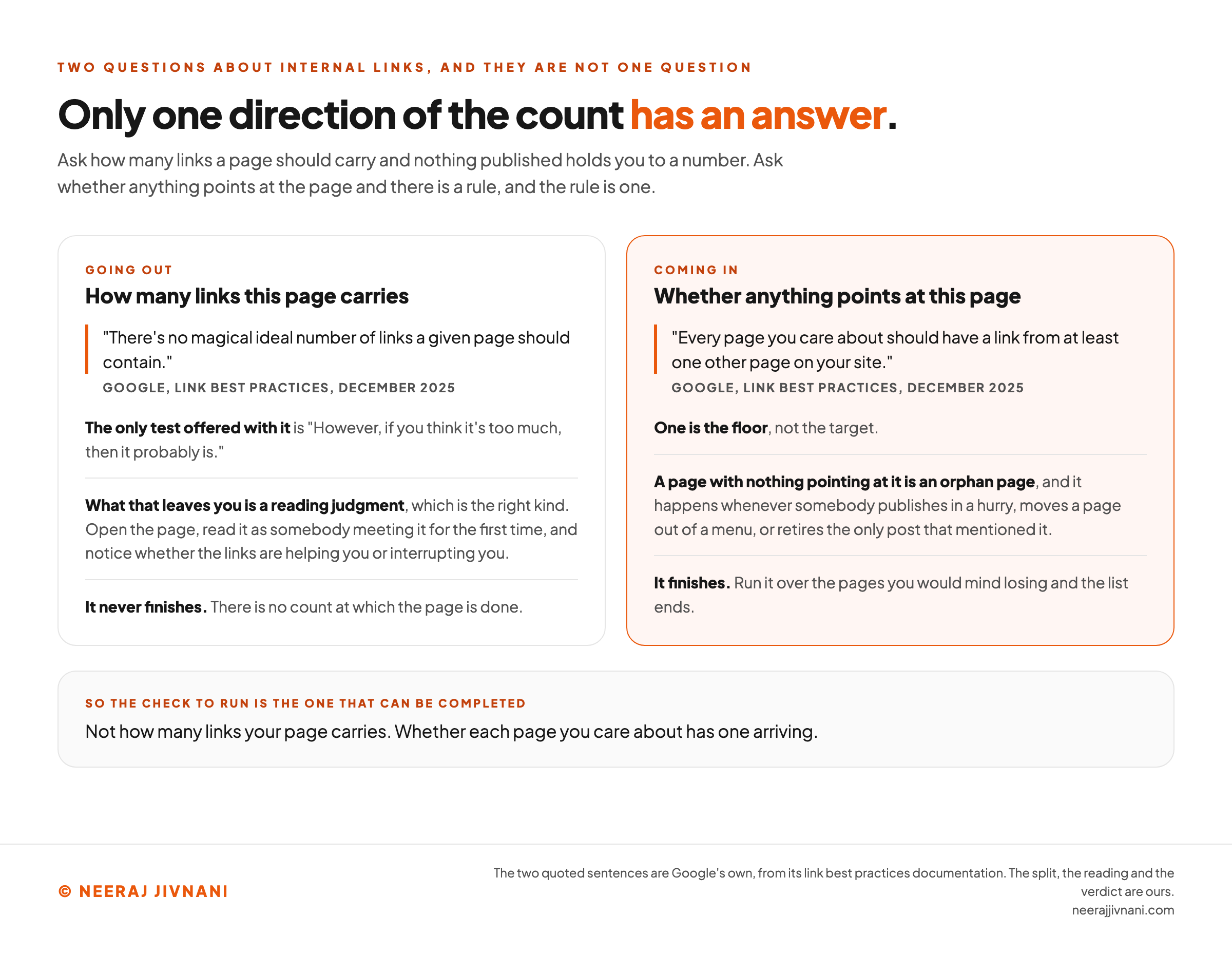
The count question has two answers, because it is two questions. One of them has no published answer and the other does.
The Answer Going Out
There is no number for how many links a page should carry.
"There's no magical ideal number of links a given page should contain", Google's link documentation says, and the only test it offers alongside that is: "However, if you think it's too much, then it probably is."
That reads like a dodge and it is not.
What it hands you is a reading judgment, which is the right kind. Open the page, read it as somebody meeting it for the first time, and notice whether the links are helping you or interrupting you.
A page where every other sentence is blue is a page nobody can read, and you will know before you finish the first screen.
The Answer Coming In
The other direction has a rule, and it is worth writing down.
"Every page you care about should have a link from at least one other page on your site", the same documentation says. One is the floor, not the target.
A page with nothing pointing at it is called an orphan page, and the name makes it sound rarer than it is.
It happens whenever somebody publishes in a hurry, moves a page out of a menu, or retires the only post that mentioned it.
So the check to run is not how many links your page carries. It is whether each page you care about has one arriving.
That check finishes. Counting outbound links never does.
Point one of your own pages the other way round
Nothing here counts what a page sends out, because no published number says what that total should be. This counts what arrives, which is the direction with a rule.
Name the page first. There are rarely many you would mind losing, and this is the work you do on each one of them.
Use this chart — embed code and citation
<a href="https://neerajjivnani.com/blog/internal-linking/"><img src="https://neerajjivnani.com/infographics/internal-linking/no-number-going-out.png" alt="Two columns setting the outbound and the inbound internal link counts against each other, drawn to show that only one of them has a published answer. The left column, headed going out, is about how many links a page carries, and quotes Google's link best practices saying there is no magical ideal number of links a given page should contain. Its notes add the only test offered alongside that sentence, which is that however, if you think it's too much, then it probably is; that what this leaves you is a reading judgment, meaning open the page, read it as somebody meeting it for the first time, and notice whether the links are helping you or interrupting you; and that the question never finishes, because there is no count at which the page is done. The right column, highlighted in orange and headed coming in, is about whether anything points at the page, and quotes the same documentation saying every page you care about should have a link from at least one other page on your site. Its notes say that one is the floor and not the target; that a page with nothing pointing at it is an orphan page, which happens whenever somebody publishes in a hurry, moves a page out of a menu, or retires the only post that mentioned it; and that this check finishes, because it runs over the pages you would mind losing and the list ends. A band at the foot gives the verdict: the check to run is not how many links your page carries, it is whether each page you care about has one arriving." width="1200"></a>
<p>Chart: <a href="https://neerajjivnani.com/blog/internal-linking/">Neeraj Jivnani</a></p>Neeraj Jivnani, "Internal Linking: Which Pages to Point At, and When to Stop", neerajjivnani.com, https://neerajjivnani.com/blog/internal-linking/Free to republish with a link back to this page.
Finding the Links You Already Have
Two different questions hide inside "how to find the internal links on my website", and they have different answers.
Which Links Are On a Page
Open the page and read it. On a page you wrote that takes a minute, and reading is the only pass that also tells you whether each link is any good.
If you want them listed rather than read, your browser will show you the page source, and every anchor element in it is a link.
Which Pages Point At One
A page cannot answer this one about itself, so it needs something that has seen the whole site.
Google Search Console reports internal links once your site is verified, listing your pages by how many of your other pages point at them. The page you are looking for is the one that is not on that list.
Without it, a site search will not tell you what already links to a page, but it will find you the pages that could: search your own domain plus a phrase from the page.
The Two Faults Worth Your Time
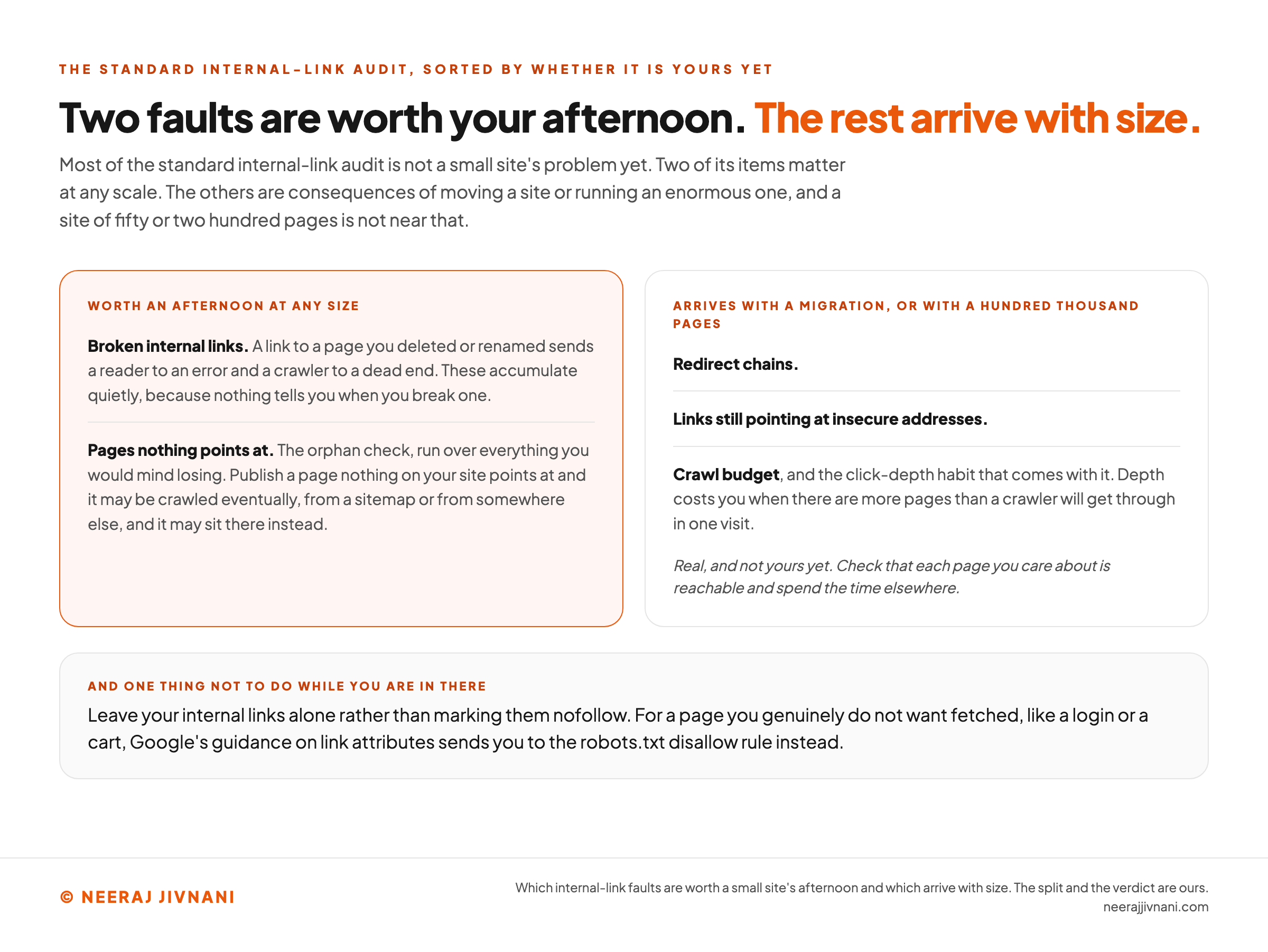
Most of the standard internal-link audit is not your problem yet. Two of its items matter at small scale and the rest arrive with size or with a migration.
- Broken internal links. A link to a page you deleted or renamed sends a reader to an error and a crawler to a dead end. These accumulate quietly, because nothing tells you when you break one.
- Pages nothing points at. The orphan check, run across the pages that matter to you.
The others are real and they are not yours yet. Redirect chains, links still pointing at insecure addresses and crawl budget are all consequences of moving a site or running an enormous one.
Leave your internal links alone rather than marking them nofollow. For a page you genuinely do not want fetched, like a login or a cart, Google's guidance on link attributes sends you to the robots.txt disallow rule instead.
And put each new link in the sentence that raised the question, rather than in a block at the foot of the page.
Use this chart — embed code and citation
<a href="https://neerajjivnani.com/blog/internal-linking/"><img src="https://neerajjivnani.com/infographics/internal-linking/which-faults-are-yours.png" alt="Two columns sorting the standard internal link audit by whether each item is a small site's problem yet. The left column, highlighted in orange and headed worth an afternoon at any size, carries two items: broken internal links, since a link to a page you deleted or renamed sends a reader to an error and a crawler to a dead end and these accumulate quietly because nothing tells you when you break one; and pages nothing points at, which is the orphan check run over everything you would mind losing, since a page nothing on your site points at may be crawled eventually from a sitemap or from somewhere else and may sit there instead. The right column, headed arrives with a migration or with a hundred thousand pages, carries redirect chains, links still pointing at insecure addresses, and crawl budget together with the click-depth habit that comes with it, noting that depth costs you when there are more pages than a crawler will get through in one visit. A line under that column says these are real and not yours yet, and to check that each page you care about is reachable and spend the time elsewhere. A band at the foot adds one thing not to do while you are in there: leave your internal links alone rather than marking them nofollow, since for a page you genuinely do not want fetched, like a login or a cart, Google's guidance on link attributes sends you to the robots.txt disallow rule instead." width="1200"></a>
<p>Chart: <a href="https://neerajjivnani.com/blog/internal-linking/">Neeraj Jivnani</a></p>Neeraj Jivnani, "Internal Linking: Which Pages to Point At, and When to Stop", neerajjivnani.com, https://neerajjivnani.com/blog/internal-linking/Free to republish with a link back to this page.
Should a Tool Do This for You
A tool should do the finding. It should not do the approving, and knowing which half you are buying is the whole decision.
What a Tool Is Good At
Plugins and crawlers read your pages, notice that one says a phrase another one is about, and offer you the pair.
That is genuine work and it is fast. Doing the same sweep by hand across a few hundred pages is an afternoon nobody enjoys.
The Part That Needs a Reader
Two things decide whether a suggested link is any good, and both need somebody to read.
The first is whether the words mean the same thing on both pages. A phrase can match perfectly and point at an unrelated idea.
The second is where it lands. A matcher will happily drop a link into a summary box, a table cell, an image caption or a bare item in a list of examples, because every one of those contains the words it matched.
None of them is a place where somebody is reading a sentence.
So treat the suggestions as a shortlist and approve them one at a time. Two habits make that cheap.
Keep a record of exactly what was inserted where, so a bad batch can be taken out again in one move. Then check the finished links on the live page rather than in the file.
What Happened When Somebody Measured It
Automatic selection generally moved more authority between pages, while expert-assisted selection better preserved semantic coherence, which is how closely linked pages match in subject.
That comes from the WebKnoGraph preprint published in June 2026, on a production crawl of a single 1,841-page site adding about 240 links.
The split is not clean either way. Aimed at the pages with the least standing, expert-assisted selection produced the highest authority gain the paper measured.
Its authors say plainly that this is not a measurement of rankings or traffic. One site is one site.
Their own conclusion is that neither approach is uniformly preferable, and that the sensible workflow combines machine generation with expert review. We would put it more plainly: the half worth keeping for yourself is the half about meaning.
What People Ask About Internal Linking
What do you mean by internal linking? Linking one page of your site to another page of the same site, and deciding which of those links to make.
Does internal linking help SEO? Yes. It is how pages get found, it moves standing between your own pages, and it gets a reader to the thing they wanted next.
How to create an internal link? Highlight the words a reader should click, press the link button in your editor, and give it the address of your own page.
How can you find the internal links on your website? To see the links on a page, open the page. To see which pages point at a page, use Search Console's internal links report, where the page you are looking for is the one that is not on the list.
Are internal links the same as backlinks? No. A backlink comes from somebody else's site, which is why you cannot decide one and can decide every internal link you have.
How many internal links should a page have? No published number exists for that direction. Every page you care about should have at least one link pointing at it, which is the direction with a rule.
When a Page Is Done
A page is done when somebody reading it can get to whatever it made them curious about, and when something else on the site points at it.
That is a check, not a target, and it is the reason to prefer it. A target keeps you adding links to a page that already had enough of them.
Run it on the pages you would mind losing and leave the rest alone.
There are rarely many of those. An hour spent making sure each one is reachable, and leads somewhere sensible, is worth more than any number you could have hit instead.